And hey - I found a way to send the pics from this blog to…

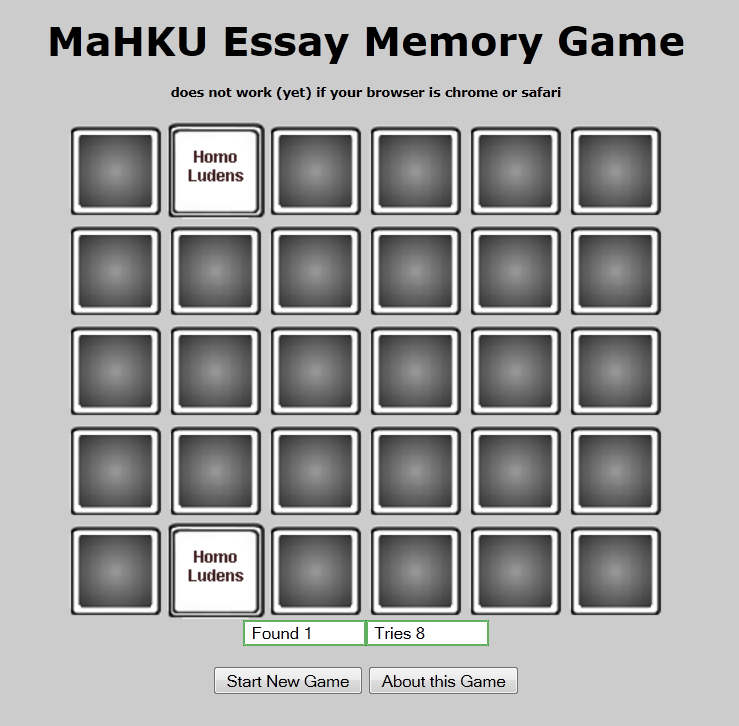 I graduated at MaHKU doing games – both indoor and out-of-doors – and wrote an essay that I published as an online game here. When revisiting the game recently I discovered that it was a no-go with Chrome where it works fine under Internet Explorer.
This could not be borne! Having some time to spare today, I delved into the matter. First step was to find a way to debug Javascript when running my game under Chrome. For I wrote the game in Javascript, an add-on to HTML that allows for interactivity.
Here is how to debug Javascript/Chrome: go to the little wrench icon on the top right hand corner of the Chrome browser , click ‘extra’ then click ‘javascript console’. This shows where javascript goes off track. In my case, the following error message ensued: Uncaught TypeError: Property ‘images’ of object #<HTMLDocument> is not a function.
Huh?Greek to me. So I went and checked my code to see where I did what with ‘images’ . This was it: document.images(u).src= ‘image’+map[u]+’.gif’. That, by the way, is how Javascript turns around a card – by changing the source of the img element so instead of the back of the card we see the front of it.
I hit the ‘net to find out what was wrong with document.images(u).src. First off, I learned about DOM – wiki: The Document Object Model (DOM) is a cross-platform and language-independent convention for representing and interacting with objects in HTML, XHTML and XML documents.[1]
Now for the scary bit – wiki again: Web browsers rely on layout engines to parse HTML into a DOM. Some layout engines such as Trident/MSHTML and Presto are associated primarily or exclusively with a particular browser such as Internet Explorer and Opera respectively. Others, such as WebKit and Gecko, are shared by a number of browsers, such as Google Chrome, Firefox and Safari. The different layout engines implement the DOM standards to varying degrees of compliance.
Turns out I.E. and Firefox have a layout engine that executes the document.images command, Chrome and Safari don’t. So I needed to find a command that exchanges one image for another and is recognized by all four browsers. Turned out that there is such a thing: the document.getElementById command ( I found it here , thanks you guys!). Tried it, and was perplexed because the game still did not work. Had a better look at the command, figured that I my images had no id so the software did not know where to go. Easy to remedy:
<IMG src=”card-back.gif” name=”c1″ width=”80″ height=”80″ alt=”kaart” onClick=”z=0; test()”></font></td>
became
<IMG src=”card-back.gif” id=0 name=”c1″ width=”80″ height=”80″ alt=”kaart” onClick=”z=0; test()”></font></td>
Then I got no more error messages, but no cards turned, either. Took a break, this helped, for when I came back to the computer screen I noticed a minor typo: == instead of = . This the computer neither forgives nor forgets. Once I corrected it – bingo! Game running!
Strange thing is, I quite like fooling around with this kind of problem. Takes me back to when I’d just started working software for a living. I remember bug-chasing on a huge computer printout for a week, to finally realise that I’d typed the letter ‘o’ instead of a zero in one little corner.Frustrating – but a great feeling of reward once I’d nailed the problem.

| « Romanticism as a life raft | <-- previous post | next post --> | Organic » |
|---|